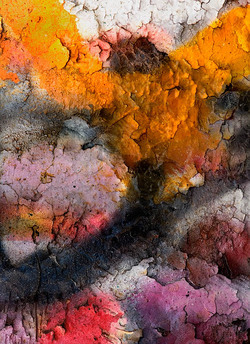
 This is another shot from my Hercules field trip. It reminds me of a folk art painting of a California poppy.
Last weekend and next weekend, I am attending a Digital Fine Art Printing class. The class is at the San Francisco Art Institute. The first weekend was taught by J. Holmes. Joseph Holmes is an expert at printing. I will try to post his teachings as I absorb them. Here are a few tips.
- You can compare print to your monitor BUT… You must have a profiled and calibrated monitor. That calibration must match the color temperature of your light source. He recommends lighting with Solux bulbs. Lets say the bulb is daylight tempurature of 5500K, then you should calibrate/profile your monitor to that temperature.
- To evaluate the brightness of your image, you must change the background to white. When looking at an image, use the Photoshop ‘F’ shortcut to get full screen with midtone gray background. Select the Paint Bucket tool with a foreground color of pure white. Hold the shift key and click in the neutral gray background to change it to white.
Next weekend’s class is taught by Michael Creedon. I will try to update with posts. Plus, I hope to go out shooting and get a few new images to test my newly acquired printing techniques.
 DorothyPhoto