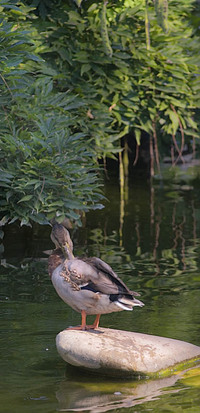
 With this image, I used one of the most overlooked filters in Phothshop, Lighting Effects. For this shot, the sun was getting low and lighting of the duck’s rear and rock well. But, the duck’s head and background bamboo were too dark. I ran Lighting Effects three times. Each acted as a very small amount of fill flash on the head and various places in the background bamboo. The key with using Lighting effects is to experiment with the settings. Use Spotlight when you have directional light and the Omni for diffuse lighting. Also, remember to make a duplicate of your flattened image and mask the Lighting Effect. That way, you can paint on the fill light just where you need it.
- Comment
- Reblog
-
Subscribe
Subscribed
Already have a WordPress.com account? Log in now.
 DorothyPhoto