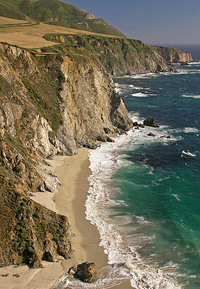
 While attending Michael Seewald’s class, Michael mentioned that he waits up to a year(!) to review and select his images. Wow. I can barely wait until the image appears on the back of my camera. Recently, my friend, T, asked for a print. She remembered a picture from Big Sur taken almost precisely a year ago. At the time, I thought the image was OK but it never made it into my mental keeper list. Now looking at the shot with fresh eyes, I think it deserves better.
Photoshop & Tips
Michael Seewald Workshop – Part 2
There is a continuation of my earlier entry detailing what I learned at the Michael Seewald Workshop. This section details the magic of cropping.
Once we had practiced how your eye moves, we worked on cropping. I rarely crop my images and have always felt they had to fit in to the dimensions of the standard print sizes. Michael Seewald actually spends a great deal of thought to cropping his images. To me, it was amazing to see how much improvement you can make with cropping. Start with 3 questions.
- What made you take the picture?
- What do you notice first? Is that what you wanted?
- What is strong and weak in the image?
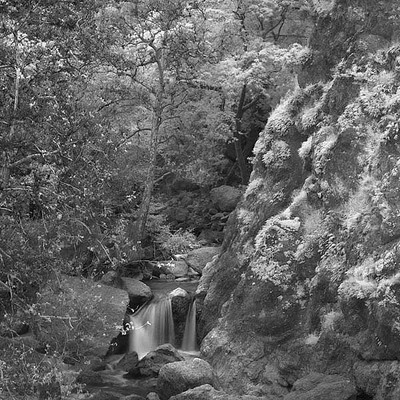
Here is a starting point of an infrared image taken recently in Sunol at the Little Yosemite area. Question 1: Why did I take the picture? Answer: I liked the waterfall with the rock wall as framing. Question 2: Is the waterfall my primary focal point?….
Michael Seewald Workshop
About a month ago, I found a photographer that I really admire on photo.net. His name is Michael Seewald. After reviewing his work on the website, I signed up for his announcements. As chance would have it, he called about his workshop that weekend. The workshop was on composition and moving the viewer’s eye throughout the image. After hearing Vincent Versace discuss tips for moving the viewer’s eye using Photoshop, I have been wondering about next step in my own work. Sometimes fate does give you a little nudge in the right direction.
Fortunately, I could make it to San Diego for the workshop. The workshop was small and that our allowed us to do extensive portfolio reviews of each other’s work. I learned so much that I will have to do multiple entries to discuss all of it. It was a great experience and I would heartily recommend it to anyone looking to improve their work.
Color Range — the smart magic wand
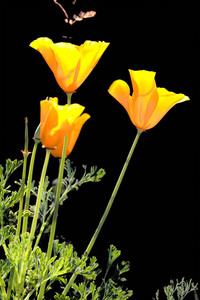 The other nite, I was supposed to present selection techniques from Katrin Eismann’s excellent book, Photoshop Masking and Compositing at the camera club. This technique demonstrates selecting using Color Range instead of the magic wand.
I developed this example to demonstrate the technique. In my rush to get there, I left the CD-ROM on my desk. Instead, I will post the technique in my blog.
Leaf Stencil
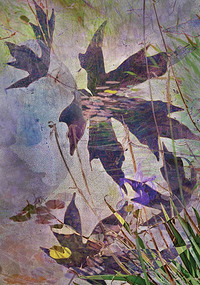
Decided I wanted a violet image. This image caused a lot of problems. It uncovered a Photoshop bug where the image did not match the thumbnail or the flattened image. After fiddling to work around the problem, I managed to get what I wanted.
Here is a Photoshop tip. When you have out-of-gamut colors, convert to CMYK color and back to RGB. All the colors are put within range and it usually looks fine.
Building Dreamy Roses
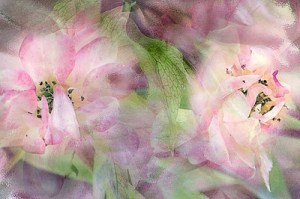
Lately, I was feeling antsy to tried out a creative image. My first thought was that I did not want to do a flower composite but as you can see I did. I bought an art review magazine and liked some acrylics and watercolors. Some of the images were very loose and gestural which I liked. So, I sat down with my laptop and started experimenting…
Photoshop Tip: Increasing Dynamic Range
Many times, I have wanted to shoot a scene only to discover that the dynamic range is well beyond the range of my digital camera to capture. For my Canon 20D, the range is somewhere around 4 stops of light. Using the following Photoshop recipe, you can extend your camera’s dynamic range considerably. One caveat is that this recipe only gives good results about 50% of the time for me.

Photoshop Tip: 16MP from an 8MP Canon 20D
I recently purchased the new Canon 20D. I love the camera and am very pleased with its 8 MP of resolution. However, I have been curious about the resolution of the new Canon 1DS Mark II, which is a 16MP camera. Good news, you can use Photoshop to piece together a very high resolution image from multiple images. Here is an example image using this technique.
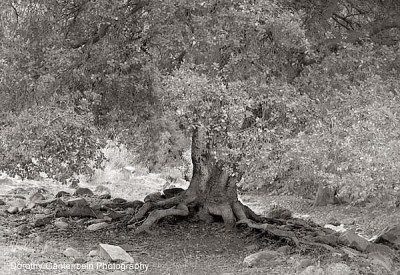
Photoshop Tip: Eye Movement
I recently attended a Photography Workshop in Jackson Hole, WY. The teachers were Vincent Versace, Moose Peterson and David Black. During the course of the workshop, Vincent provided demostration of how he moves a viewer’s eye around his image. Earlier, Vincent had presented a slideshow of his images and they were compelling. However without Vincent’s explanation, I would have been clueless to his technique.
The technique of moving the viewer’s eye provides a subtle but powerful improvement to your image.
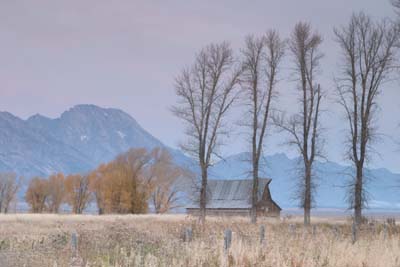
Note: Roll mouse over image to see final results.
Photoshop Tip: Tim Grey Seminar
I attended a all day seminar with Tim Grey. Tim covered a wide spectrum of topics from best practices in digital capture to digital workflow to printing. Tim is an excellent speaker and teacher. I ending up taking more notes than I expected particularly in the area of digital workflow.
Here are my notes…
 DorothyPhoto