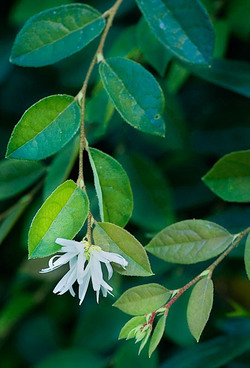
 This is another shot from Hakone Gardens. Because there were dark green leaves with a white flower, I used one of my favorite techinques for dodging and burning. On the layers palette, hold the Alt key and click on the new layers button. In the pop-up dialog, select mode of Soft Light (or Overlay for stronger effect). Check the fill with 50% gray checkbox. Now, you have a neutral gray layer that does not affect the image. To burn, select a black brush with 10% (adjust per image) opacity and lightly paint the areas. To dodge, select a white brush and repeat. If the effect is too strong, you can always change the gray layer’s opacity.
- Comment
- Reblog
-
Subscribe
Subscribed
Have a WordPress.com account? Log in now.


Very nicely done. The green is quite lush, and the white flower is the perfect contrast here. Great shot.
LikeLike