 |
|
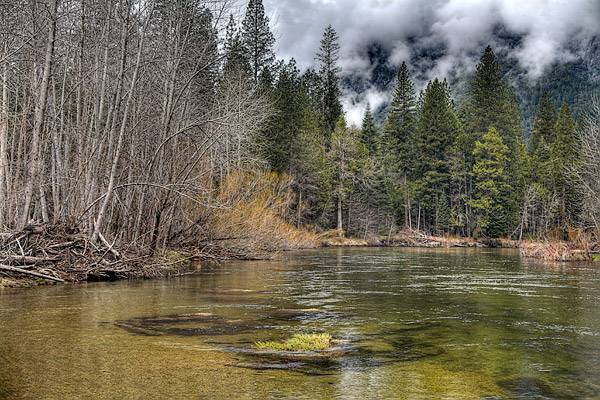
Merced River |
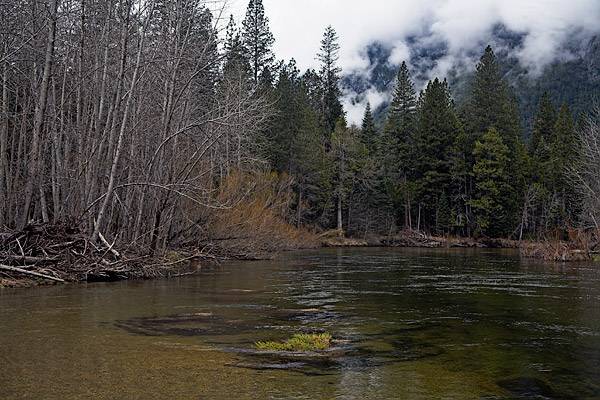
This is another from my Yosemite series. I loved the beautiful green color in the Merced River but had a hard time capturing its essence. In the process, I learned a trick that I want to pass on. Below is the same image as I would have normally processed As you can see, there is a huge difference in the tonal quality between these two images.
 |
|
Merced River (original) |
The original image was captured in Raw format. There was no black or white clipping in the histogram but the histogram shows a very contrasty image with a large spike in the quarter and three-quarter tones. I processed this image (5) times with exposure values of 0, -1, -2, +1 and +2. This simulates doing exposure bracketing in the field. Then using Photomatix Pro, I combined the (5) images into a single High-Dynamic Range image and did tone mapping (I think I used the default values).
Maybe, you are saying to yourself that I could just use Shadows & Highlights to open up the darker areas in the original version and retain some detail in the clouds. Well, I did use Shadows & Highlights and I still could not get results nearly as good as using the high-dynamic range image. The bad news is that you would have to buy Photomatix Pro because this trick does not work with Photoshop CS2’s HDR plugin. Photoshop’s HDR requires different exposures not just different raw processing. The good news is that you can try out Photomatix Pro for 30 days and see if it works for your style of photography.
 DorothyPhoto
I fully believe that these same results can be had and adjustments can be made in Photoshop using the LAB color mode and making levels, curves and HSB adjustments to the channels (ie. a, b & lightness).
Good luck,
Dave Davies
LikeLike